Private DNS Resolver: Enhance Your Crypto Privacy & Security
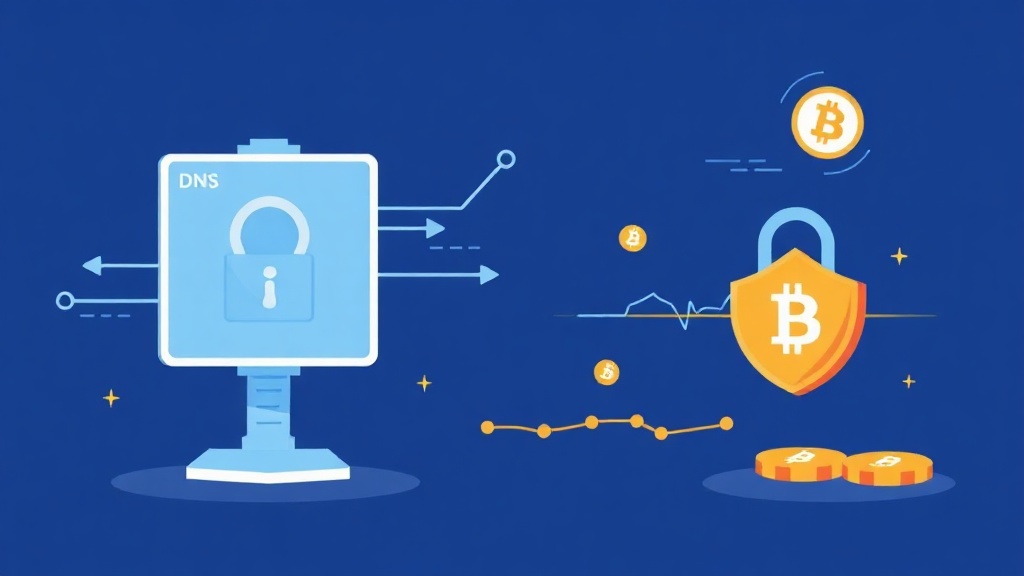
What Is a Private DNS Resolver and Why It Matters for Crypto Users
In the world of cryptocurrency and decentralized finance, privacy isn’t just a preference—it’s a necessity. Every time you connect to the internet to check your wallet, trade on an exchange, or interact with a blockchain, your device sends DNS (Domain Name System) queries to translate human-readable domain names (like binance.com) into machine-readable IP addresses. By default, these queries often route through your Internet Service Provider (ISP) or public DNS servers like Google DNS or Cloudflare, which can log, track, or even manipulate your traffic.
A private DNS resolver is a specialized server that handles these DNS lookups without logging your activity or sharing it with third parties. Unlike public resolvers, private DNS services prioritize anonymity, encryption, and user control—making them ideal for crypto enthusiasts who want to keep their financial activities confidential and secure from surveillance, censorship, or data harvesting.
Using a private DNS resolver helps prevent DNS leaks, blocks tracking by ISPs or governments, and ensures that your blockchain interactions remain private. Whether you're using a hardware wallet, running a full node, or simply browsing DeFi platforms, routing your DNS through a private resolver adds a critical layer of privacy to your digital footprint.
How Private DNS Resolvers Protect Your Cryptocurrency Privacy
Private DNS resolvers use advanced encryption and privacy-focused infrastructure to safeguard your online activity. Here’s how they work and why they’re essential for crypto users:
- Encrypted DNS Queries: Most private DNS services support protocols like DNS-over-HTTPS (DoH) or DNS-over-TLS (DoT), which encrypt your DNS requests so that even your ISP can’t see which domains you’re visiting.
- No Logging Policies: Reputable private DNS providers don’t store or sell your browsing data. This is crucial for crypto users who want to avoid targeted ads, surveillance, or exposure of their transaction history.
- Block Malicious Domains: Many private DNS resolvers include built-in threat protection to block phishing sites, malware hosts, and fake crypto wallet domains—reducing the risk of scams and hacks.
- Decentralized & Open-Source Options: Some private DNS services are community-driven or open-source, meaning their code is publicly auditable, and their infrastructure is distributed across multiple jurisdictions to prevent censorship.
For example, services like NextDNS, Quad9, or AdGuard DNS offer customizable privacy-focused DNS resolution. You can configure them on your router, device, or even within your browser to ensure all DNS traffic is routed securely—even when using mobile apps or VPNs.
Top Private DNS Resolvers for Crypto Privacy in 2024
Not all private DNS services are created equal. Here are some of the best options for crypto users who prioritize privacy and security:
- NextDNS:
- Highly customizable with per-device filtering
- Supports DoH, DoT, and DoQ (DNS-over-QUIC)
- Blocks trackers, malware, and crypto scam domains
- Free tier available; paid plans for advanced features
- Quad9:
- Non-profit, security-focused DNS resolver
- Blocks malicious domains by default
- No logging policy; based in Switzerland (strong privacy laws)
- Supports DoH, DoT, and IPv4/IPv6
- AdGuard DNS:
- Open-source and privacy-first
- Blocks ads, trackers, and phishing sites
- Offers family protection and default blocklists
- Compatible with all devices
- Mullvad DNS:
- Run by the privacy-focused VPN provider Mullvad
- No logs, no tracking, and supports DoH/DoT
- Ideal for users who also use Mullvad VPN
- Based in Sweden (privacy-friendly jurisdiction)
- CleanBrowsing:
- Family-safe DNS with security filtering
- Blocks adult content, malware, and phishing sites
- Supports custom filtering profiles
- Free and paid tiers available
When choosing a private DNS resolver, look for services that offer no-logs policies, strong encryption, and transparent infrastructure. Avoid services owned by large corporations (like Google DNS or Cloudflare) unless you’re comfortable with potential data exposure.
How to Set Up a Private DNS Resolver for Maximum Crypto Privacy
Implementing a private DNS resolver is straightforward, but the method depends on your device and network setup. Here’s a step-by-step guide to get started:
On Your Computer (Windows, macOS, Linux)
- Windows:
- Go to Settings > Network & Internet > Change adapter options.
- Right-click your active connection and select Properties.
- Under IPv4, click Properties > Use the following DNS server addresses.
- Enter your chosen private DNS IP (e.g.,
94.140.14.14for AdGuard DNS). - Click OK and restart your network connection.
- macOS:
- Go to System Preferences > Network.
- Select your connection and click Advanced > DNS.
- Click the + button and add your private DNS server (e.g.,
1.1.1.1for Cloudflare DoH). - Remove any existing DNS entries and click OK.
- Linux:
Edit your
/etc/resolv.conffile or use your network manager to set custom DNS. For systemd-based systems, use:sudo nano /etc/systemd/resolved.confAdd your DNS server under
[Resolve]:DNS=94.140.14.14 FallbackDNS=1.1.1.1 Domains=~.
On Mobile Devices (Android & iOS)
- Android:
- Go to Settings > Network & Internet > Private DNS.
- Select Private DNS provider hostname.
- Enter your provider’s hostname (e.g.,
dns.adguard.comfor AdGuard DNS). - Save and restart your connection.
- iOS:
iOS doesn’t natively support DoH/DoT, but you can use a VPN app like NextDNS or AdGuard to route DNS through a private resolver. Alternatively, configure DNS in your Wi-Fi settings:
- Go to Settings > Wi-Fi.
- Tap the i icon next to your network.
- Scroll to DNS and select Configure DNS > Manual.
- Enter your private DNS server IP (e.g.,
9.9.9.9for Quad9).
On Your Router (For Whole-Network Protection)
To protect all devices on your network (including smart TVs, IoT devices, and mobile phones), configure your router’s DNS settings:
- Access your router’s admin panel (usually via
192.168.1.1or192.168.0.1). - Look for DNS settings (often under WAN or Internet).
- Replace the default DNS with your private resolver’s IP (e.g.,
185.121.177.177for CleanBrowsing). - Save and reboot your router.
Advanced Tips for Crypto Users: Combining Private DNS with Other Privacy Tools
While a private DNS resolver is a powerful tool, it’s most effective when combined with other privacy-enhancing technologies. Here’s how to layer your defenses for maximum crypto privacy:
- Use a VPN with Private DNS:
Even with a private DNS, your ISP can still see that you’re using DNS-over-HTTPS. Pairing your private DNS with a no-logs VPN (like Mullvad or ProtonVPN) adds another layer of obfuscation. Just ensure your VPN supports DNS leak protection.
- Enable DNSSEC for Extra Security:
DNSSEC (DNS Security Extensions) verifies that DNS responses haven’t been tampered with. Not all private DNS providers support it, but services like Cloudflare and Google DNS do. Combine it with a private resolver for best results.
- Block Trackers with a Firewall or Pi-hole:
A Pi-hole is a network-wide ad and tracker blocker that can be installed on a Raspberry Pi or a spare computer. It blocks requests to known tracking domains before they reach your devices, further reducing your digital footprint.
- Use Tor for Sensitive Transactions:
For ultra-sensitive activities (like accessing your hardware wallet or private keys), consider using the Tor Browser. Tor routes your traffic through multiple encrypted nodes, making it nearly impossible to trace. Pair it with a private DNS resolver for layered protection.
- Regularly Audit Your DNS Settings:
Use tools like DNSLeakTest.com or ipleak.net to verify that your DNS queries are routing through your private resolver and not leaking to your ISP. Check periodically, especially after software updates or network changes.
Common Myths About Private DNS Resolvers Debunked
Despite their benefits, private DNS resolvers are often misunderstood. Let’s clear up some common misconceptions:
- Myth: Private DNS is only for tech experts.
Reality: While advanced users can fine-tune settings, most private DNS services offer one-click setup. Even beginners can configure them in under 5 minutes.
- Myth: Private DNS slows down your internet.
Reality: High-quality private DNS resolvers (like Quad9 or NextDNS) are optimized for speed. In fact, they often reduce latency by blocking malicious domains before they load.
- Myth: You don’t need private DNS if you use a VPN.
Reality: VPNs encrypt your traffic but don’t always protect your DNS queries. Some VPNs leak DNS requests to your ISP. A private DNS resolver ensures all queries are encrypted and private, regardless of your VPN.
- Myth: All private DNS services are equally private.
Reality: Some “private” DNS services still log data or are owned by large corporations. Always check their privacy policy and no-logs claims before trusting them with your data.
- Myth: Private DNS blocks all crypto-related sites.
Reality: Most private DNS services don’t block legitimate crypto sites by default. However, some (like AdGuard DNS) allow you to customize blocklists. You can whitelist crypto domains if needed.
Conclusion: Take Control of Your Crypto Privacy with a Private DNS Resolver
In a digital world where privacy is increasingly under threat, taking control of your DNS traffic is a simple yet powerful step toward securing your cryptocurrency activities. A private DNS resolver ensures that your blockchain interactions, wallet access, and DeFi transactions remain confidential and protected from prying eyes—whether it’s your ISP, government agencies, or malicious actors.
By choosing a reputable private DNS provider, configuring it on your devices, and combining it with other privacy tools like VPNs and Pi-hole, you create a robust defense against surveillance and censorship. Remember, privacy isn’t a one-time setup—it’s an ongoing practice. Regularly audit your settings, stay updated on new threats, and adapt your defenses as needed.
Start today: Pick a private DNS resolver that aligns with your privacy needs, set it up in minutes, and browse the crypto ecosystem with confidence. Your financial sovereignty depends not just on the strength of your wallet, but on the privacy of your entire digital footprint.
Related articles


Understanding Mixer Session Expiry in Cryptocurrency Privacy

How to Achieve a Cookie-Free Crypto Mixing Session for Maximum Privacy

Secure Your Crypto: The Ultimate Guide to NoScript-Compatible Tumblers

Mix Your Crypto Without JavaScript: A Privacy-Friendly Guide

Metadata Minimization Mixer: Enhance Crypto Privacy Today
Looking for a privacy tool?
Browse every mixer, exchanger and Telegram bot in one place.