Understanding HD Wallet Gap Limit for Enhanced Crypto Privacy
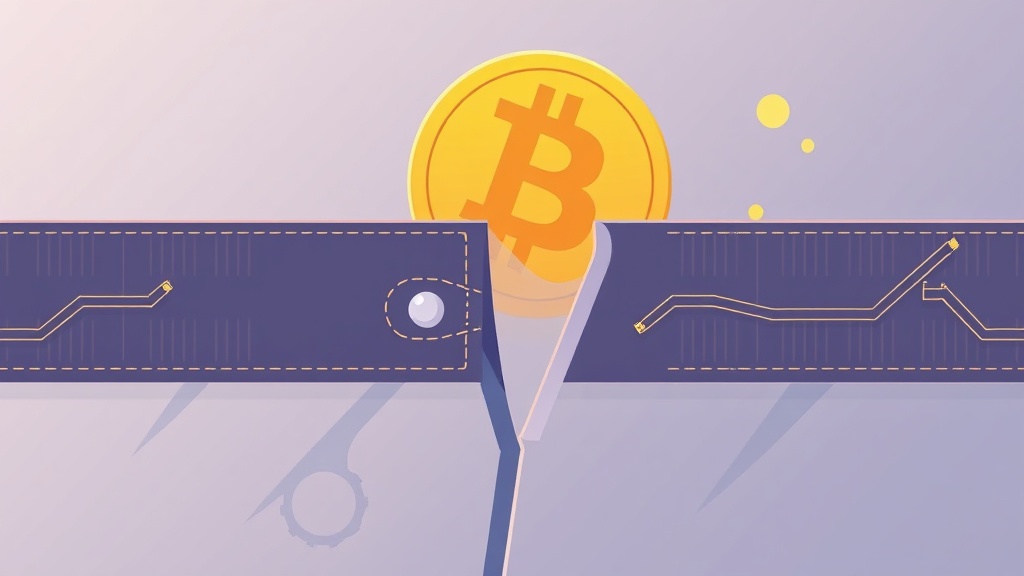
What Is an HD Wallet and Why Gap Limit Matters
Hierarchical Deterministic (HD) wallets are a cornerstone of modern cryptocurrency storage, offering enhanced security and convenience. Unlike traditional wallets that generate a new private key for each transaction, HD wallets derive all keys from a single seed phrase. This seed phrase acts as a master key, enabling the wallet to generate an infinite number of addresses while maintaining a single backup point.
However, HD wallets aren’t without limitations. One critical but often overlooked feature is the gap limit. The gap limit determines how many unused addresses the wallet will scan before stopping its search for transactions. If this limit is too low, you risk missing funds sent to addresses beyond the scanned range. Conversely, setting it too high may slow down wallet synchronization and reduce privacy by exposing more addresses than necessary.
How the Gap Limit Affects Your Cryptocurrency Privacy
Privacy is a major concern in the crypto space, and the gap limit plays a subtle but important role. When you use an HD wallet, every new transaction typically generates a new address to enhance anonymity. However, if your wallet stops scanning too early due to a low gap limit, you might miss incoming transactions to addresses that fall outside the scanned range.
This can lead to unintended exposure. For instance, if you receive funds on an address that your wallet didn’t scan, you might assume the transaction failed or the sender made a mistake. In reality, the funds are safe—but your wallet hasn’t detected them. This not only causes confusion but can also compromise your privacy if you later reuse addresses due to missing transactions.
Moreover, a high gap limit increases the number of addresses your wallet monitors, which can be leveraged by third-party services or blockchain analytics tools to track your activity. Balancing the gap limit is essential for both security and privacy.
Default Gap Limits Across Popular HD Wallets
Different HD wallets implement the gap limit in various ways. Here’s a quick overview of default settings in some widely used wallets:
- Ledger Live: Default gap limit of 20. Scans up to 20 unused addresses before stopping.
- Trezor Suite: Default gap limit of 20. Similar to Ledger, it stops scanning after 20 unused addresses.
- Electrum: Default gap limit of 5. More conservative, but can be adjusted in settings.
- Wasabi Wallet: Uses a dynamic gap limit based on transaction history, optimizing both speed and privacy.
- Samourai Wallet: Default gap limit of 20, with advanced privacy features like Stonewall and PayJoin to enhance anonymity.
While these defaults work for most users, they may not suit everyone. Advanced users often tweak the gap limit based on their transaction patterns and privacy needs.
How to Adjust the Gap Limit for Better Privacy and Security
Adjusting the gap limit can improve both the functionality and privacy of your HD wallet. Here’s a step-by-step guide to modifying it in popular wallets:
For Ledger Live:
1. Open Ledger Live and go to Settings. 2. Navigate to the Bitcoin or Ethereum tab (depending on the asset). 3. Look for the Gap Limit option and adjust it to your preferred value (e.g., 50 or 100). 4. Save the changes and resync your wallet.
For Trezor Suite:
1. Connect your Trezor device and open Trezor Suite. 2. Go to Settings > Bitcoin (or other cryptocurrency). 3. Find the Gap Limit setting and increase it if needed. 4. Confirm and resync the wallet.
For Electrum:
1. Open Electrum and go to Tools > Preferences. 2. Select the Addresses tab. 3. Locate the Gap Limit field and enter your desired value. 4. Click OK and restart Electrum for changes to take effect.
Pro Tip: If you frequently receive funds on new addresses, consider setting a higher gap limit (e.g., 50 or 100). However, avoid setting it excessively high, as this can slow down wallet synchronization and reduce privacy.
Practical Tips for Managing Gap Limits in HD Wallets
- Monitor Your Transaction History: Regularly check if your wallet is detecting all incoming transactions. If you notice missing funds, increase the gap limit and resync.
- Use a Conservative Starting Point: Begin with the default gap limit (e.g., 20) and increase it gradually only if needed. This prevents unnecessary exposure of unused addresses.
- Combine with Privacy Tools: Pair your HD wallet with privacy-enhancing tools like CoinJoin (available in Wasabi or Samourai) or use a VPN to further obscure your transaction history.
- Backup Your Seed Phrase: Always ensure your seed phrase is stored securely offline. A high gap limit won’t help if you lose access to your wallet due to a failed backup.
- Test Changes in a Sandbox: If you’re unsure about adjusting the gap limit, test the changes in a testnet wallet first to see how it affects performance and privacy.
- Avoid Reusing Addresses: Even with a high gap limit, avoid reusing addresses to maintain privacy. Each transaction should ideally generate a new address.
Common Misconceptions About Gap Limits
There are several myths surrounding gap limits that can lead to confusion. Let’s debunk a few:
- Myth 1: A higher gap limit always means better privacy.
While a higher gap limit ensures you don’t miss transactions, it also exposes more addresses to potential tracking. Balance is key.
- Myth 2: The gap limit affects transaction fees.
No, the gap limit only influences how many addresses your wallet scans. It has no direct impact on transaction fees.
- Myth 3: All wallets have the same gap limit.
Different wallets use different default gap limits. Always check your wallet’s documentation for specifics.
- Myth 4: You can’t recover funds if the gap limit is too low.
Your funds are always safe, even if your wallet doesn’t detect them immediately. You can manually increase the gap limit and resync to find the missing transactions.
Conclusion: Balancing Functionality and Privacy with Gap Limits
The gap limit is a small but powerful feature in HD wallets that can significantly impact your cryptocurrency experience. By understanding how it works and adjusting it to suit your needs, you can enhance both the functionality and privacy of your wallet. Whether you’re a casual user or a privacy advocate, taking control of your gap limit settings ensures you never miss a transaction while minimizing unnecessary exposure.
Remember, the key to effective crypto management lies in balance. Use the gap limit to your advantage, but always pair it with other privacy tools and best practices to safeguard your assets and identity. Stay informed, stay secure, and happy transacting!
Related articles

BIP47 Payment Codes: Enhancing Bitcoin Privacy and Security
Break Address Reuse: Why It’s Critical for Crypto Privacy
UTXO Consolidation: Boost Privacy & Efficiency in Crypto Transactions
Coin Control Privacy: Boost Your Crypto Transaction Security Today
How Criminals Evade Chainalysis Tracking in Crypto Transactions
Looking for a privacy tool?
Browse every mixer, exchanger and Telegram bot in one place.