How to Check for DNS Leaks Before Crypto Transactions
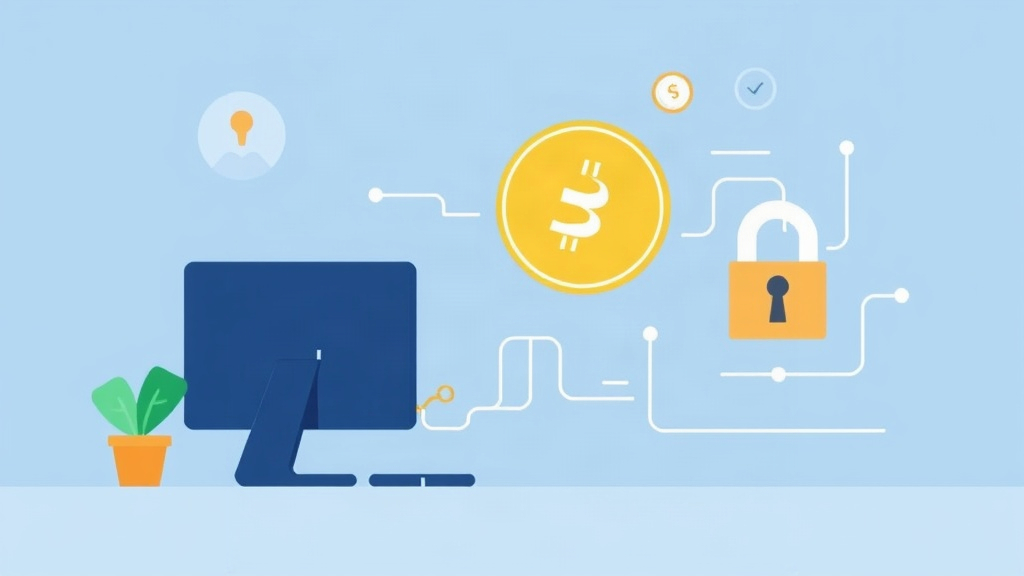
Why DNS Leaks Are a Privacy Threat for Crypto Users
When you make a cryptocurrency transaction, your privacy depends on more than just wallet security. A DNS leak can expose your online activity to third parties, including internet service providers (ISPs), hackers, or even government agencies. DNS (Domain Name System) translates website names into IP addresses, and if this process isn’t secure, your browsing habits—including crypto-related sites—can be tracked.
For crypto enthusiasts, this is especially risky. Transactions on public blockchains are pseudonymous, but if your DNS queries leak, your identity could be linked to your wallet address. This defeats the purpose of using privacy-focused tools like VPNs or Tor. Always verify your connection before sending or receiving crypto.
How DNS Leaks Happen and What They Reveal
DNS leaks occur when your device bypasses your VPN or proxy and uses your ISP’s default DNS servers instead. This can happen due to misconfigured network settings, software conflicts, or even malware. Here’s what a leak might expose:
- Transaction history: If you visit a crypto exchange or blockchain explorer, your DNS queries could reveal these sites to your ISP.
- Wallet activity: Some wallets connect to nodes or APIs; DNS leaks can expose these interactions.
- Personal data: If you log into crypto-related services, leaked DNS queries might correlate your IP with your account.
Even if you use a VPN, a DNS leak can render it useless. Always test for leaks before transacting to ensure your privacy is intact.
Step-by-Step Guide to Detecting DNS Leaks
Testing for DNS leaks is simple and takes less than five minutes. Follow these steps to verify your connection:
1. Use a Reliable DNS Leak Test Tool
Several free tools can check for DNS leaks. Popular options include:
- DNSLeakTest.com – Provides detailed results and supports IPv6 testing.
- ipleak.net – Checks for DNS, WebRTC, and IPv6 leaks in one place.
- BrowserLeaks.com – Focuses on WebRTC and DNS vulnerabilities.
Visit one of these sites while connected to your VPN or proxy. If the test shows DNS servers from your ISP, you have a leak.
2. Test on Multiple Devices and Networks
DNS leaks can occur on any device—desktop, laptop, or mobile. Test each one separately, especially if you use different networks (e.g., home Wi-Fi vs. public hotspots). Pay attention to:
- Your primary browser (Chrome, Firefox, Brave).
- Mobile apps that interact with crypto wallets or exchanges.
- Background services like VPN clients or firewall software.
If a leak appears on one device but not another, the issue is likely local (e.g., misconfigured settings).
3. Check for IPv6 Leaks
Many VPNs and proxies only protect IPv4 traffic. If your device uses IPv6, it might leak DNS queries outside your secure tunnel. Use a tool like ipleak.net to check for IPv6 leaks. If detected, disable IPv6 in your network settings or use a VPN that supports it.
Fixing DNS Leaks: Practical Solutions
If your test reveals a DNS leak, don’t panic. Here’s how to fix it:
1. Adjust VPN or Proxy Settings
Most VPNs allow you to force DNS queries through their servers. Enable these options in your VPN client:
- DNS Leak Protection: Found in settings like "Kill Switch" or "DNS Leak Prevention."
- Custom DNS: Some VPNs let you manually set DNS servers (e.g., Cloudflare’s 1.1.1.1 or Google’s 8.8.8.8).
- Protocol Selection: Use OpenVPN or WireGuard instead of less secure protocols like PPTP.
2. Disable IPv6 (If Not Needed)
IPv6 is the future, but it’s not always necessary. To disable it:
- Windows: Go to Network Settings > Change Adapter Options > Right-click your connection > Properties > Uncheck IPv6.
- Mac/Linux: Edit network configuration files or use terminal commands to disable IPv6.
- Mobile: Check your device’s network settings or use a VPN app that blocks IPv6.
3. Use a Firewall or Hosts File
For advanced users, a firewall like Windows Firewall or pfSense can block unauthorized DNS queries. Alternatively, edit your hosts file to redirect known tracking domains to 127.0.0.1 (localhost).
4. Test Again After Fixing
After applying changes, rerun a DNS leak test. If the issue persists, try:
- Switching to a different VPN server.
- Updating your VPN client or firewall software.
- Contacting your VPN provider’s support team.
Best Practices for Crypto Privacy Beyond DNS Leaks
While fixing DNS leaks is critical, it’s just one piece of the privacy puzzle. Combine these strategies for maximum security:
Use a Privacy-Focused VPN
Not all VPNs are equal. Choose one with a strict no-logs policy, strong encryption (AES-256), and servers in privacy-friendly jurisdictions. Top picks include:
- ProtonVPN – Based in Switzerland, audited for no-logs.
- Mullvad – Anonymous sign-up, supports WireGuard.
- IVPN – Transparent about its privacy practices.
Enable Kill Switch and Split Tunneling
A kill switch automatically disconnects your internet if the VPN fails, preventing leaks. Split tunneling lets you route only crypto-related traffic through the VPN while keeping other activities local.
Use Tor for Sensitive Transactions
For ultra-private transactions, consider using the Tor Browser. It routes traffic through multiple nodes, making it nearly impossible to trace. However, Tor can be slow, so use it for critical operations only.
Monitor Your Wallet and Network
Regularly check your wallet for unusual activity. Use tools like Etherscan (for Ethereum) or Blockchain.com Explorer to verify transaction details. If you suspect a leak, disconnect from the internet and investigate further.
Conclusion: Stay Private, Stay Secure
DNS leaks are a silent threat to your crypto privacy, but they’re easy to detect and fix. By testing your connection regularly and using the right tools, you can ensure your transactions remain anonymous. Remember: privacy isn’t a one-time setup—it’s an ongoing process.
Always use a trusted VPN, disable IPv6 if needed, and combine these steps with other security measures like Tor or firewall rules. The crypto world moves fast, but your privacy should move faster. Stay vigilant, test often, and transact with confidence.
Related articles

How to Verify Your Cryptocurrency Traffic Exits Through Tor for Maximum Privacy
How to Verify Tor Connectivity in Your Crypto Wallet for Maximum Privacy
How to Audit Your Crypto Wallet for Privacy Leaks
How to Verify a Wallet is Non-Custodial: A Step-by-Step Guide
Top Privacy-First Mobile Wallets for Secure Crypto Storage
Looking for a privacy tool?
Browse every mixer, exchanger and Telegram bot in one place.